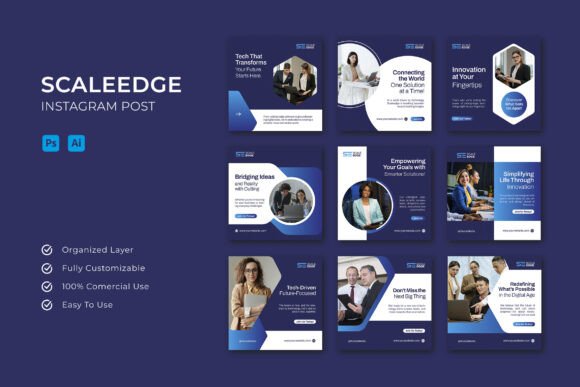
Scaleedge - Instagram Post: Building a Visual Identity That Connects
There is a moment every business owner, creative freelancer, or community manager knows well. You have something important to say, a product to launch, an event to promote, or a story to share. But when you open Instagram, the blank canvas stares back at you. You want your post to look polished and professional, not thrown together in five minutes. That is where having the right starting point changes everything. The Scaleedge - Instagram Post template set exists for exactly these moments. It helps you translate your message into a visual format that feels intentional, not rushed.
When you need to say something that matters
Not every post is about a sale. Some posts are about building trust, announcing a change in your business, or celebrating a milestone. Imagine you run a small bakery and you want to tell your followers that you are introducing a new line of gluten-free pastries. You could snap a quick photo of the pastries and type a caption. But with the Scaleedge - Instagram Post template, you can pull together a cohesive carousel that shows the pastries, lists the ingredients, explains your sourcing philosophy, and ends with a call to visit the shop. Each page builds on the last, so your audience feels like they are getting the full story, not just a headline.
For a social media manager handling multiple clients, this template set becomes a time-saving anchor. You might manage a fitness coach who wants to share weekly tips, a local bookstore hosting author events, and a skincare brand announcing seasonal bundles. Each client has a distinct visual identity. The template is built in layers that let you swap backgrounds, adjust color palettes, and replace placeholder images without starting from a blank canvas every time. Instead of spending an hour on each post, you spend fifteen minutes refining and personalizing.
The real difference between a good post and a great one
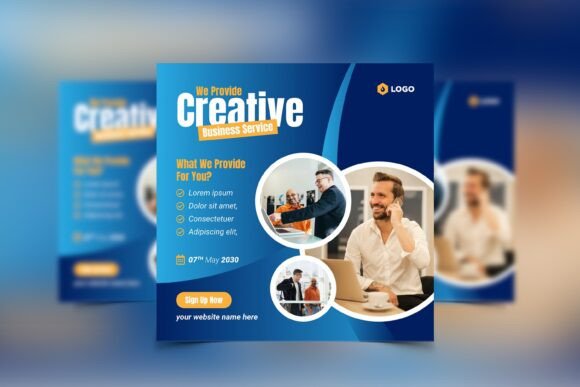
What separates a post that people scroll past from one that stops them? Often, it is not the idea itself but how the idea is presented. A cluttered layout, inconsistent typography, or mismatched colors can dilute even the most compelling offer. The Scaleedge - Instagram Post template comes with a clean 1080x1080 pixel square format, which is the standard Instagram feed size. That might sound basic, but it means you do not have to guess whether your text will be cut off, whether your logo fits, or whether the image quality holds up after upload. The grid is already built for the platform.
I have watched a friend who runs a small online coaching business try to design her own posts using a generic photo editor. She spent hours aligning text boxes, choosing fonts, and second-guessing her color choices. When she switched to a structured template like this one, her posts started looking consistent. Her audience noticed. She started getting messages saying her feed looked more professional. That consistency builds trust, and trust is what makes people click, sign up, or buy.
Scenarios where this template set shines
Different users bring different goals to the table. Here are a few situations where having a multi-page Instagram post template makes the kind of practical difference you can feel in your workflow.
The solo entrepreneur wearing too many hats
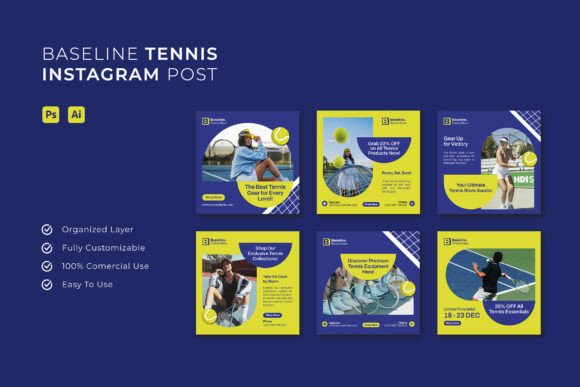
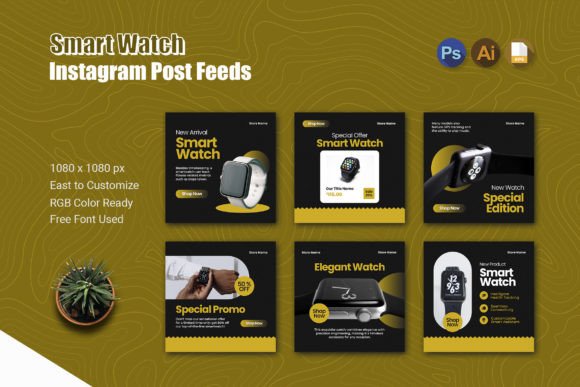
If you are running a business by yourself, your to-do list never ends. You are the product creator, the customer service team, the accountant, and the marketer. When it comes to Instagram, you need something that works fast. The Scaleedge - Instagram Post template includes six pages in AI, PSD, and EPS formats, meaning you can open whichever file type your software supports and start editing right away. You do not need to learn a new tool. If you are comfortable with Photoshop or Illustrator, you are already set. The free fonts included remove another barrier: no hunting down licenses or worrying about compatibility. For a solo entrepreneur, every minute you save on design is a minute you can spend on your customers.
The agency or team managing multiple accounts
When you are juggling several brand voices, consistency across accounts becomes a challenge. One client might need bold, saturated colors. Another might need soft pastels and minimalist layouts. The template is fully editable, so you can build a distinct look for each client without reinventing the wheel each time. Change the mockups, swap images, and adjust the text blocks to match the brand guidelines. The fact that the preview photos are not included is actually a practical detail: you bring your own product shots, team photos, or lifestyle imagery, which means the final post feels authentic to the brand, not templated.
The event promoter who needs urgency and clarity
Events live and die by their promotion. A workshop, a product launch, a pop-up market, or a webinar all need clear dates, compelling visuals, and a sense of excitement. A six-page template lets you create a mini story: one page for the announcement, one for the date and location, one for the speaker or host, one for what attendees will learn or experience, and one for the call to action. You can even use an extra page for testimonials or past event highlights. The Scaleedge - Instagram Post template gives you that structure so you do not forget any critical element when you are racing against a deadline.
What to consider before you start designing
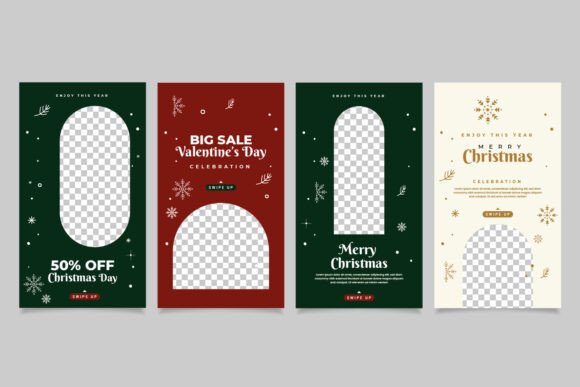
Templates are powerful, but they work best when you understand what they are and what they are not. This template set includes the files you need to edit, but it does not include the preview photos you see in the demo. That is an important distinction. You supply your own images, which is actually a strength: your posts will look like you, not like a stock catalog. If you have product photography, team headshots, or candid shots from your workspace, those will make the template feel personal.
Another consideration is software. The included formats are AI, PSD, and EPS. You will need Adobe Illustrator, Photoshop, or a compatible vector program to make full use of the layered files. If you are used to working in simpler tools like Canva, this might require a slight adjustment. However, the learning curve is modest if you are already familiar with layer-based editing. The help file included walks you through the basics, so you are not guessing.
Color is another area where you can make the template your own. The RGB color mode is standard for digital screens, so what you see on your monitor will match what your audience sees on their phones. But if you plan to print any of these posts for physical signage or banners, keep in mind that RGB and CMYK differ. For Instagram purposes, RGB is exactly what you need.
Strengths that stand out in daily use
One of the biggest strengths of this template set is the balance between structure and freedom. You get six pages, which gives you room to tell a complete story without feeling like you need to cram everything into one slide. You also get the ability to adjust every element. The text is editable. The colors are adjustable. The mockups are replaceable. That means you are never stuck with a design element that does not fit your brand. Over time, you can build a library of variations for different campaigns, all rooted in the same clean layout.
Another strength is the square format. Instagram now allows portrait and landscape orientations, but the square format remains the most predictable for feed aesthetics. When every post is square, your grid looks orderly. That matters for profiles where the overall visual impression is part of the brand experience, like artists, photographers, or lifestyle brands.
Limitations you should know upfront
No tool is perfect for every situation. If you are someone who prefers to design completely from scratch without any structure, a template might feel restrictive. The template is not a magic button; it still requires your input, your images, and your copy. If you need a done-for-you solution where you just paste text, this is not that. It is a starting point that saves you the structural work but still asks for your creative voice.
Also, because the preview photos are not included, you need to have a stock of quality images ready. If your photo library is thin, you might need to invest time in shooting or sourcing visuals before the template can work its magic. That is not a flaw of the template, but it is a practical reality that affects how quickly you can publish.
How different users get different value
A yoga instructor might use the Scaleedge - Instagram Post template to share a weekly pose breakdown: one page showing the pose, one page listing benefits, one page with breathing tips, one page with a quote, and two pages for class schedules. A real estate agent might use it to showcase a new listing: one page for the exterior shot, one for the living room, one for the kitchen, one for key features, one for the price and open house details, and one for testimonials from past buyers. A nonprofit might use it to run an awareness campaign: one page with a statistic, one with a story from the field, one showing the impact, one with a donation link, and two pages with volunteer stories.
The same set of pages adapts to wildly different contexts because the framework is neutral. You bring the content. The template brings the structure. That is why it works for product launches, educational content, event promotion, and brand storytelling alike.
Final thoughts from real experience
I have seen teams spend weeks debating the layout of a single Instagram post. The design itself becomes a bottleneck. A template like this one removes that bottleneck by giving you a proven starting point. It does not replace your creativity. It gives your creativity a place to land. Whether you are posting every day or once a week, the Scaleedge - Instagram Post template helps you show up looking prepared. And in a crowded feed, that is often the difference between being seen and being skipped.