Design Eye-Catching Black Friday Sale Social Media Banners
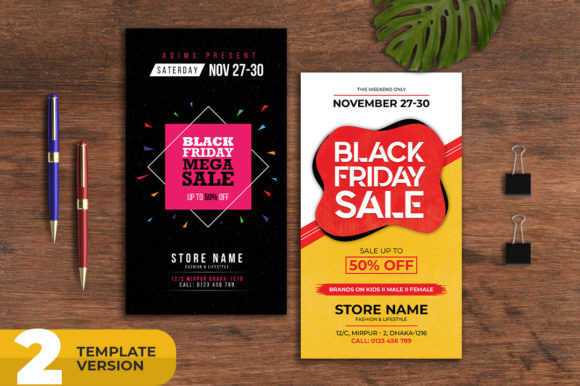
When the biggest shopping season of the year approaches, every business wants to stand out. A Black Friday Sale Social Media Banner is a ready-made design file that helps you create promotional graphics quickly without needing advanced design skills. These templates come as layered PSD files, meaning you can open them in Photoshop and customize colors, text, images, and layout elements to match your brand identity.
Think of them as a shortcut to professional-looking visuals. Instead of starting from a blank canvas, you get a solid foundation that already looks polished and festive. The template is built at 1080x1080 pixels with 300 DPI resolution, so your graphics will look sharp on screens and in print. Whether you are posting on Instagram, running Facebook ads, or designing a flyer to hand out in-store, the dimensions work perfectly for square social media posts and traditional advertising spaces.
Why These Templates Matter for Your Sale Event
Creating promotional material from scratch takes time. You need to choose colors that evoke urgency, pick fonts that are readable yet attention-grabbing, arrange elements so the offer is clear, and ensure everything aligns with your brand. A Black Friday sale Social Media Banner template handles much of that groundwork. The templates are fully layered and organized with proper naming groups, so you can edit individual components without breaking the design. Want to change the background color? Adjust the headline font? Swap out a product image? Each layer is clearly labeled, making customization straightforward even if you are not a seasoned designer.
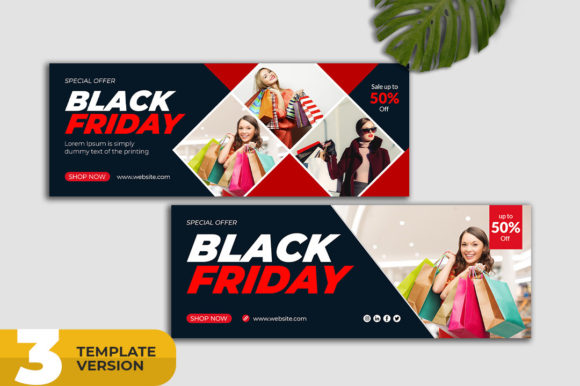
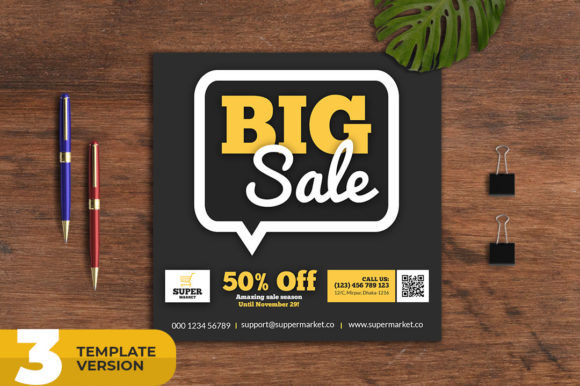
The real value lies in consistency. When you run a multi-channel campaign across social media, email newsletters, and print materials, maintaining a unified look builds trust and recognition. With three different template variations included, you can create a cohesive set of graphics that all feel connected but offer slight visual variety. This keeps your audience engaged without confusing them with completely different styles across platforms.
Another practical benefit is the resolution. At 300 DPI, these files are print-ready. Many social media templates are built at 72 DPI, which looks fine on screens but falls apart in print. Because this template is designed for both digital and physical use, you can take the same design and use it for a magazine advert, newspaper placement, promotional poster, or even a large-format banner without losing quality.
Who Benefits from Using These Templates
Small business owners often juggle multiple responsibilities. You might be running the store, managing inventory, handling customer service, and still need to get the word out about your Black Friday deals. A template that is easy to customize saves you hours and reduces stress. Freelancers and marketers serving multiple clients can also speed up their workflow by starting from a proven design rather than reinventing the wheel for each campaign.
Entrepreneurs launching a new product or e-commerce store during the holiday season face extra pressure to get noticed. Using a colorful, unique design helps your offer stand out in crowded feeds where shoppers scroll quickly. The templates use free fonts, so you do not have to worry about licensing fees or locating obscure typefaces. Everything you need is included or linked in the help file.
Bloggers and content creators promoting affiliate deals or their own digital products can use these banners for social media posts, Pinterest pins, and email headers. Educators running online course sales or hobbyists selling handmade goods through platforms like Etsy will find the templates flexible enough to adapt to different niches without looking generic.
Where and How to Use These Banners
The most obvious use is social media marketing. Square posts at 1080x1080 pixels fit Instagram, Facebook, LinkedIn, and even Twitter timelines. You can create a series of posts counting down to Black Friday, highlighting different product categories each day, or announcing flash sales during Cyber Monday. Because you have three variations, your feed stays visually interesting without repeating the exact same image.
Beyond social media, these templates work well for email campaigns. Use a banner as the header image in your newsletter to immediately signal that a sale is happening. Many email platforms support images at this size, and the high resolution ensures they look crisp on retina displays.
For print advertising, the 300 DPI resolution is essential. You can place the same design in a local newspaper ad, print it as a poster to hang in your store window, or include it in a direct mail flyer. The templates are designed with traditional print advertising in mind, so the layouts account for text placement that remains readable even in smaller sizes like magazine advert slots.
Another practical use is on your website. Create a hero banner for your homepage, a pop-up offer graphic, or a dedicated landing page header. The square format can be cropped or adapted to fit rectangle spaces, but the core design elements remain intact. If you run an e-commerce store, these banners can be used as category page headers during the sale period to create a cohesive shopping experience.
Important Considerations Before You Start
Before jumping in, know that these are layered PSD files, which means you need Adobe Photoshop to edit them. If you do not have Photoshop, you may need access to a computer that does, or consider using a friend or freelance designer to make the changes for you. The help file included walks you through the basics of color customizing and text updating, so even beginners can follow along.
Because the templates use free fonts, make sure you download and install them before opening the file. The help file typically includes links to where you can get these fonts. Without the correct fonts installed, Photoshop may substitute a different typeface, which can change the look of your design.
Color RGB mode is ideal for digital screens, but if you plan to print professionally, you might need to convert to CMYK for the most accurate color reproduction. The templates start in RGB, which is great for social media, but worth keeping in mind if print accuracy is critical for your campaign.
Also consider your brand colors. A Black Friday theme often leans toward red, black, yellow, and white, but you can customize the palette to match your brand. The templates are designed to be flexible, so do not feel locked into the default colors. Adjusting hues and saturation can make the design feel uniquely yours while still carrying the urgency of a sale event.
Finally, think about the text. These templates come with placeholder copy. Replace it with your actual sale details, dates, discount percentages, and call-to-action phrases. Keep the headline bold and benefit-driven. Shoppers should immediately know what the offer is and what they need to do next.
Making the Most of Your Sale Campaign
To get the best results, plan your content calendar around the templates. Use variation one for the teaser announcement a week before Black Friday. Use variation two for the main sale day post. Use variation three for a last-chance reminder on Cyber Monday. This creates a narrative arc that builds anticipation and urgency.
Pair your banners with well-written captions that explain the offer and include relevant hashtags. Square images perform well on most platforms, but you may also want to create a vertical version for Instagram Stories or Reels by adapting the core design elements.
If you need help with color customizing or text updating, the seller encourages you to contact them through their profile page. Do not hesitate to reach out if you get stuck. Most template creators are responsive and want you to succeed with their product.
Ultimately, a Black Friday Sale Social Media Banner template is a tool to help you communicate your offer clearly and attractively. It saves time, ensures quality, and gives you the freedom to focus on other important aspects of your sale event. With three variations, free fonts, and a well-organized PSD file, you have everything you need to create professional promotional graphics that work across digital and print channels.